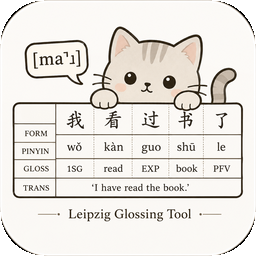
多语言工作页
选择语言与文字后,一行输入一个例句,并用空格标出最终词界。自定义语言默认生成拉丁转写、IPA、英语 Gloss、汉语 Gloss 和英语自由翻译,并保留可选的汉语自由翻译。维吾尔语及自定义 RTL 只影响输入框和原文词项;例句排列、编号和导出仍从左到右。生成后可点击“调整顺序”,横向拖动输出行或用键盘左右方向键移动。模型生成的分析都必须由研究者复核。
多語言工作頁
選擇語言與文字後,每行輸入一個例句,並用空格標出最終詞界。自訂語言預設產生拉丁轉寫、IPA、英語 Gloss、漢語 Gloss 與英語自由翻譯,並保留選填的漢語自由翻譯。維吾爾語及自訂 RTL 只影響輸入框和原文詞項;例句排列、編號和匯出仍由左至右。產生後可按下「調整順序」,水平拖曳輸出列或用鍵盤左右方向鍵移動。
Multilingual workspace
Select a language and script, enter one example per line, and mark final token boundaries with spaces. The custom profile defaults to Latin transcription, IPA, English gloss, aligned Chinese gloss, and free English translation; free Chinese translation remains available. Uyghur and custom RTL affect only source input and source-form cells; example columns, numbering, and exports remain left-to-right. After generation, choose “Adjust order” to drag lines horizontally or move them with the keyboard arrow keys.