基本流程
- 在页面左上端“AI 服务”中选择服务商和模型,并验证保存 API key。
- 选择语言和输入格式;普通话保留拼音设置,非普通话材料可增加逐词汉语释义。
- 在输入框中一行输入一个例句,每行内部用空格标出最终词边界;也可导入一行一个例句的 TXT 文件。
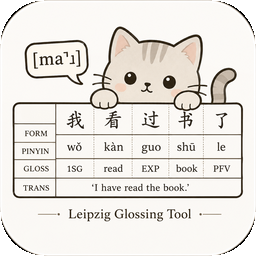
- 生成后,预览会立即显示在输入区下方;每个例句使用一个独立表格。
- 按需选择输出行;点击“调整顺序”后可横向拖动,也可用键盘左右方向键移动。
- 设置编号,在编辑区修改生成内容并调整排版。
- 从预览区下方复制或导出;保存项目可保留输出选择、输出顺序和排版设置。
批量输入与编号
输入框和 TXT 文件都以“物理行”为例句边界,空行会被忽略。TXT 导入只接受 .txt 文件。“连续数字”默认从 (1) 开始,并可填写任意正整数起点;负数、零或无效输入会自动重置为 1。“字母:(a)”输出 (a)、(b);“字母:a.”输出 a.、b.。两种字母编号都可填写 c、aa 等起始字母,并在 z 后继续为 aa。选择“无编号”则完全移除编号列。
拼音与其他注音
普通话可在“拼音有声调”(默认,如 wǒ)、“拼音数字声调”(如 wo3)和“拼音无声调”(如 wo)之间单选;轻声始终不标 0。其他注音默认留空,也可选注音符号、IPA + 数字声调、IPA 固有声调、粤拼 / Jyutping、Yale 或其他体系。IPA 数字声调使用 55/35/214/51 这类调值;IPA 固有声调使用 ˥/˧˥/˨˩˦/˥˩ 等调符。粤语或自定义方言则使用“主要转写体系”。
排版设置
五条输出行默认使用 Times New Roman,中文字符自动回退到宋体,字号为 10.5 pt,均不加粗、不斜体。“保持现有设置”会把当前排版留给下次使用;“恢复默认”立即重置全部行。Gloss 中的全大写语法缩写自动显示为小型大写字母;“复制表格”使用 Word 兼容的底层小写字符与小型大写格式。
API key 申请
请从服务商的官方页面创建 API key,申请后充值可用。
中国境内只能使用 DeepSeek。
数据与安全
空格分词具有最高优先级。API key 不会写入项目文件或 localStorage;验证后只以认证加密密文存入 Secure、HttpOnly、SameSite=Strict Cookie。AI 生成的分析应由研究者复核。
基本流程
- 選擇服務提供者和模型,輸入 API key。可先選取「驗證 API」。
- 選擇語言和輸入格式;國語可設定拼音形式,並視需要增加一種其他注音。
- 在輸入框中每行輸入一個例句,每行內部用空格標出最終詞界;也可匯入每行一個例句的 TXT 檔案。
- 產生後,預覽會立即顯示在輸入區下方;每個例句各用一個表格。
- 選擇輸出列;按下「調整順序」後可水平拖曳,也可用鍵盤左右方向鍵移動。
- 選擇編號,在編輯區修改內容並調整排版。
- 從預覽區下方複製或匯出;儲存專案可保留輸出選擇、輸出順序和排版設定。
批次輸入與編號
輸入框和 TXT 檔案都以每一個非空白行為例句邊界,空白行會被忽略。TXT 匯入只接受 .txt 檔案。「連續數字」預設從 (1) 開始,並可填寫任意正整數起點;負數、零或無效輸入會自動重設為 1。「字母:(a)」輸出 (a)、(b);「字母:a.」輸出 a.、b.。兩種字母編號都可填寫 c、aa 等起始字母,並在 z 後接續為 aa。選擇「無編號」則完全移除編號欄。
拼音與其他注音
國語可在「拼音附聲調符號」(預設,如 wǒ)、「拼音數字聲調」(如 wo3)和「拼音不標聲調」(如 wo)之間單選;輕聲一律不標 0。其他注音預設留白,也可選注音符號、IPA + 數字聲調、IPA 聲調符號、粵拼 / Jyutping、Yale 或其他系統。IPA 數字聲調使用 55/35/214/51 等調值;IPA 聲調符號使用 ˥/˧˥/˨˩˦/˥˩。粵語或自訂方言則使用「主要轉寫系統」。
排版設定
五個輸出列預設使用 Times New Roman,中文字元會自動改用宋體,字號為 10.5 pt,均不使用粗體或斜體。「保留目前設定」會保留目前排版供下次使用;「還原預設值」會立即重設全部輸出列。Gloss 中的全大寫語法縮寫會自動顯示為小型大寫字母;「複製表格」使用與 Word 相容的底層小寫字元及小型大寫格式。
API key 申請
請從服務提供者的官方頁面建立 API key,申請後儲值即可使用。
中國境內只能使用 DeepSeek。
資料與安全
空格分詞具有最高優先順序。API key 不會寫入專案檔案或 localStorage;驗證後只以認證加密密文儲存在 Secure、HttpOnly、SameSite=Strict Cookie。AI 產生的分析應由研究者確認。
Workflow
- Select a provider and model, enter an API key, and optionally validate it.
- Select the language and input format. For Mandarin, choose the Pinyin form and optionally add one other annotation.
- Enter one example per line, using spaces for final token boundaries, or import a one-example-per-line TXT file.
- The preview appears directly below the input, with one independent table per example.
- Select the output lines. Choose “Adjust order” to drag lines horizontally or move them with the keyboard arrow keys.
- Choose numbering, edit each example, and set typography independently for every output line.
- Copy or export all preview tables, or save the editable batch project with its output order.
Batch input and numbering
Physical lines delimit examples and blank lines are ignored. Import accepts only .txt files. Numeric numbering defaults to (1) and accepts only a positive integer start; negative, zero, or invalid input resets to 1. “Alphabetic: (a)” outputs (a), (b); “Alphabetic: a.” outputs a., b.. Both accept a custom letter start and continue from z to aa. Select no numbering to remove the number column.
Pinyin and other annotations
Mandarin Pinyin can use tone marks (default, e.g. wǒ), tone numbers (e.g. wo3), or no tones (e.g. wo); neutral tone never takes 0. The optional annotation can be Zhuyin, IPA with numeric tone values, IPA tone letters, 粤拼 / Jyutping, Yale, or another system. Numeric IPA uses values such as 55/35/214/51; IPA tone letters use forms such as ˥/˧˥/˨˩˦/˥˩.
Typography
All five output lines default to Times New Roman with Songti fallback for Chinese, 10.5 pt, regular, and non-italic. “Keep current settings” remembers the typography for later use; “Restore defaults” resets every line. Uppercase grammatical glosses use small caps automatically. “Copy tables” sends lowercase source characters plus Word-compatible small-caps formatting.
Getting an API key
Create an API key on the provider’s official page, then add credit before use.
Data and security
Whitespace tokenization is authoritative. Keys never enter project JSON or localStorage; validated keys are retained only as authenticated ciphertext in a Secure, HttpOnly, SameSite=Strict cookie. Researcher review remains necessary.